Skip to content
SKY DUST LogoSKY DUST
PlatformSmart Fitting MirrorAboutContact
Log inStart LiftOFF, from €39/month
SKY DUST LogoSKY DUST

AI platform for operations, growth and knowledge. Assistants prepare; you approve.

Microsoft for StartupsAlumni 2021-2023

Platform

  • Platform overview
  • AI for email
  • AI automation
  • Client portal
  • Pricing

Products

  • SKY DUST LiftOFF
  • Smart Fitting Mirror
  • Custom AI development

Information

  • About SKY DUST
  • Partners
  • Blog
  • Contact
Privacy policyTerms of ServiceCookie policyAll legal documents
© 2026 SKY DUST · Sky Dust Platform B.V. · Hanzeplein 11 - 27, 8017 JD Zwolle · KvK 86188216 · BTW NL863889608B01
CBS AI Monitor 2025
SKY DUST LiftOFF platform

AI assistants that take work off your plate.

Your craft. Your digital team.

LiftOFF automates recurring work for your business. Digital assistants read and sort email, link information to the right client or project and prepare next steps. So you process not only your inbox, but also the work that follows. You keep control of important decisions and client-facing actions.

Automated where safe. Approved where it matters.

See how LiftOFF worksStart LiftOFF, from €39/month

€39/month + AI costs. See pricing

  1. Incoming
  2. Understood
  3. Prepared
  4. Waiting for approval
  5. Approved
  6. Completed
platform.skydust.io
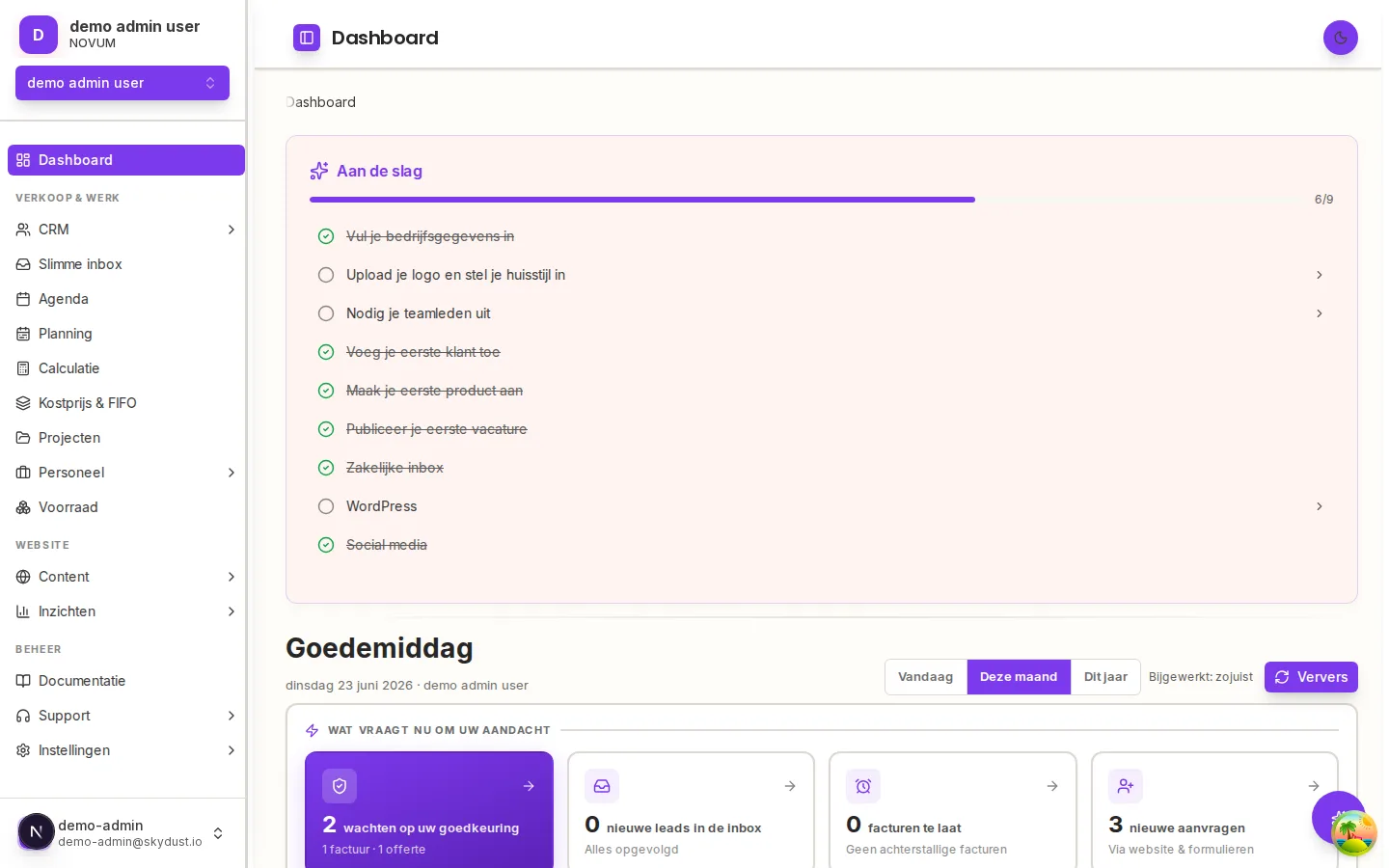
The LiftOFF company dashboard with priorities and alerts
Evidence in the product

A customer sends a request. LiftOFF prepares a structured starting point and a quotation draft.

You review scope and price before approving the next step. Totals and VAT are recalculated outside the AI.

Interactive demo

Try it yourself: from request to approved quote

Launch the tour with real product screens and sample data. See what assistants prepare, where you approve, and what that is worth vs doing it yourself or hiring.

How it fits together

Customer information, documents and actions stay connected

LiftOFF links requests, dossiers, quotations and communication to the same customer. You continue from what is already known, instead of restarting in separate tools.

1

Your business system

Customers, requests, quotations, orders, invoices, dossiers, documents, payments and communication remain connected.

2

Your digital team

Specialized assistants classify, extract, summarize, score, draft and prepare the next action.

3

Your control layer

Approval rules, audit history, budgets, roles and organisation-level data isolation determine what can happen automatically.

Onboarding and migration

Setup takes steps. LiftOFF helps, you confirm.

A website import alone is not enough. You review modules, import existing data, connect tools such as your mailbox, and invite your team. Files in the initial analysis help recommend the setup; bulk import happens afterward through the import wizard.

  1. 01Website and business description
  2. 02AI-recommended setup
  3. 03Review modules and company details
  4. 04Import existing data
  5. 05Connect tools and invite team
  6. 06Guided platform tour
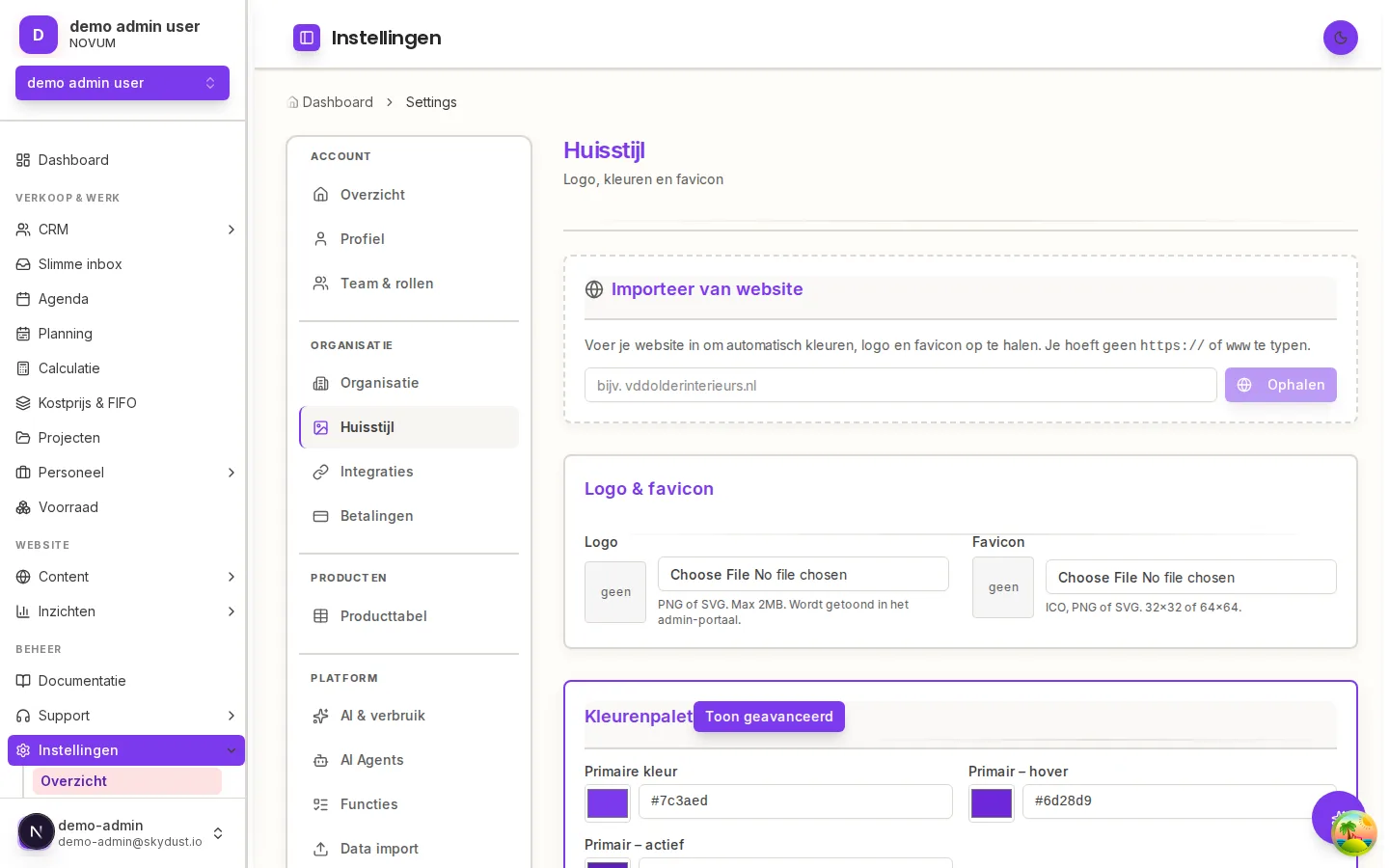
platform.skydust.io/settings/huisstijl
Importing your branding from your website automatically

Real product view: logo, colours and favicon from your website

  • The setup assistant recommends modules and business type from your website and description
  • Company details are pre-filled; you review before saving
  • Logo, colours and fonts are imported and applied everywhere after your approval
  • Then: import data, connect tools, invite colleagues and follow the guided tour
Data import

Bring your existing data without rebuilding it by hand

  • Drag-and-drop upload
  • CSV, TSV, XLSX, XLS and ODS
  • Up to 10,000 rows per import
  • Customers, products, leads and contact submissions
  • Automatic column matching with manual correction
  • Five-row preview before import
  • Clear inserted, skipped and error results
platform.skydust.io/settings/data-import
import-customers.xlsxColumns matched: 3 of 3
NameEmailCity
Brouwers Bouw B.V.info@brouwersbouw.nlMeppel
Veldhuis Bouwmaterialeninkoop@veldhuisbm.nlZwolle
Jansen V.O.F.post@jansenvof.nlKampen

Result: 2,416 inserted · 12 skipped · 0 errors

Product view of the import preview before inserting

Your digital team

Four departments, every assistant fully explained

Open a department to see each assistant's full chain: what runs automatically, the one moment where you review and approve, and what continues automatically afterwards. The hard work is done; you stay in control.

Start1 assistants

Setup assistant

Input: Your website and a short company description

Prepared automatically

  1. 1.Reads your website and description and recommends modules and business type
  2. 2.Pre-fills your company details
  3. 3.Pulls logo, colours, fonts and favicon from your website

A relevant starting configuration in your own branding

You review and approve

You review and confirm before anything is saved

Then automatic: Your environment is ready and you import existing customers, products and leads right away through the import wizard.

Operate5 assistants

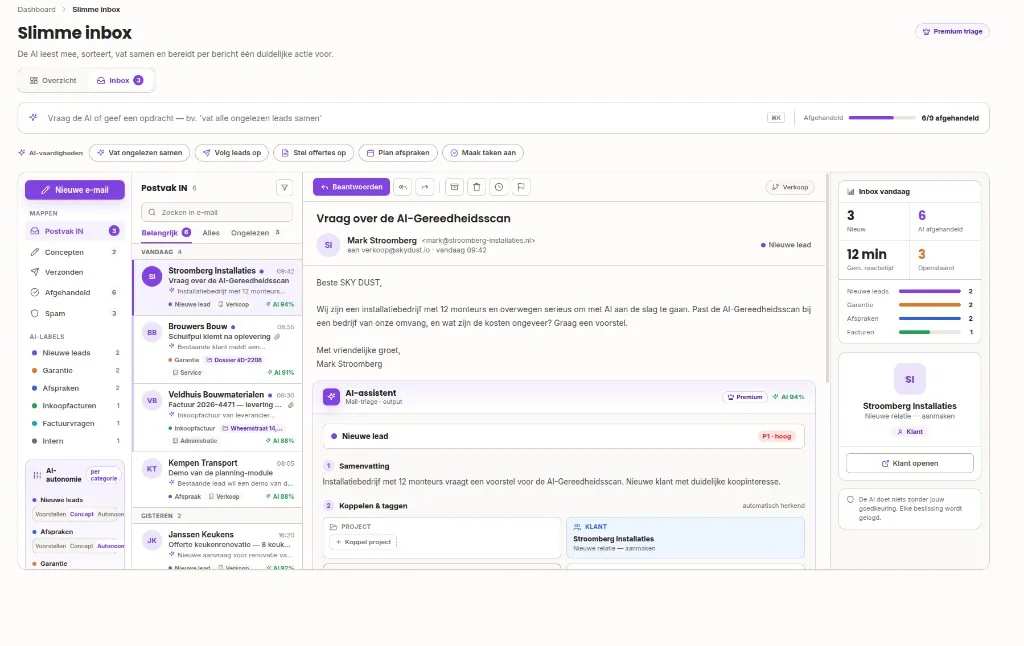
Inbox assistant

Input: Gmail and Outlook messages

Prepared automatically

  1. 1.Reads every email, tags, categorizes and prioritizes it
  2. 2.Extracts contact details and the request from the message
  3. 3.Recognizes, for example, a quote request and proposes creating a new client (prospect) from the email data
  4. 4.Stages the intake so the client portal and draft quote can follow right away

A structured smart inbox with a proposed next action per message

You review and approve

Read-only on your mailbox; creating a client, sending and replying wait for you

Then automatic: Follow-up emails from this customer can land on the same dossier, so context stays together.

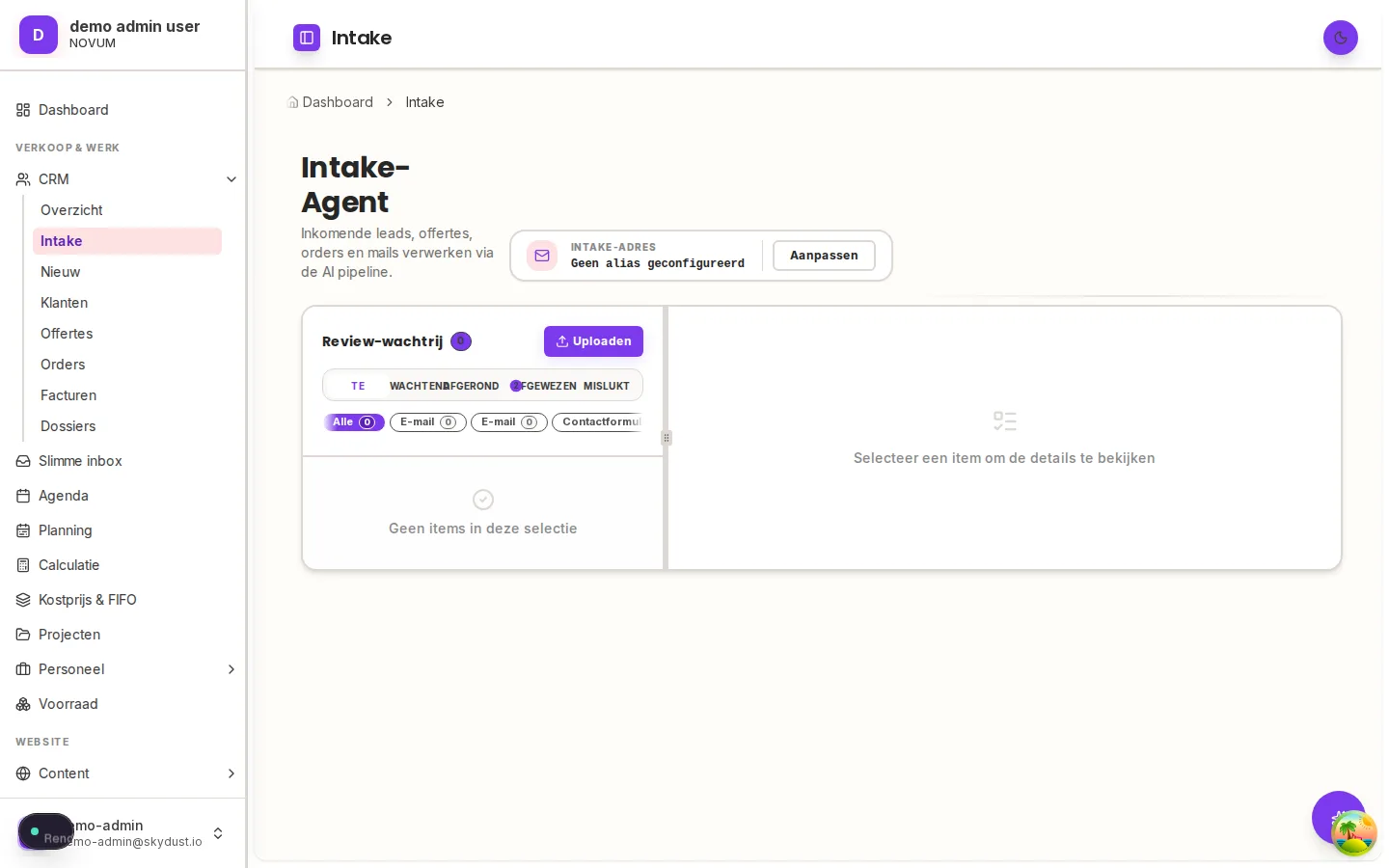
Intake assistant

Input: Forms, callback requests, email and attachments

Prepared automatically

  1. 1.Combines forms, callbacks, email and attachments into one request
  2. 2.Summarizes and enriches with the right customer data
  3. 3.Proposes next steps: create the client, open a dossier or start a quote

Reviewable work instead of an unstructured request

You review and approve

Changes to your customer records require your approval

Then automatic: Approved steps update the dossier immediately; the quote assistant continues with the same context.

Quote assistant

Input: A brief of the job

Prepared automatically

  1. 1.Picks quotation lines from your own catalog and prices
  2. 2.Writes the scope, terms and warranty text to match
  3. 3.Stages the draft quote in your branding inside the client portal

A draft quotation in your branding; you only review, adjust and approve

You review and approve

You approve; totals and VAT are recalculated outside the AI

Then automatic: Your customer views and signs digitally in the portal; the signed agreement and every reply stay on the same dossier.

Document assistant

Input: Invoices, quotations, confirmations, photos and uploads

Prepared automatically

  1. 1.Recognizes the document type: invoice, quotation, confirmation or photo
  2. 2.Extracts the data in a structured form
  3. 3.Proposes the link to the right customer or dossier

Less reading and no more retyping

You review and approve

You review before data is imported

Then automatic: Approved data lands in the right record immediately; the original stays attached for verification.

Lead assistant

Input: Incoming leads and requests

Prepared automatically

  1. 1.Scores and tags every incoming lead
  2. 2.Links to an existing customer or proposes a prospect
  3. 3.Routes the lead to the right person's queue

Prioritized opportunities, nothing slips

You review and approve

Internal processing runs automatically; follow-up is yours

Then automatic: Follow-up and quotes build on the same dossier, full history included.

Grow3 assistants

SEO assistant

Input: Your Google Search Console data

Prepared automatically

  1. 1.Reads your real search data from Google Search Console
  2. 2.Finds opportunities, decliners and missing content
  3. 3.Prioritizes concrete improvement actions

Clear improvement actions instead of raw analytics

You review and approve

Recommendations remain advisory; you decide what ships

Then automatic: The effect of shipped actions stays visible in the reporting, so you see what works.

Content assistant

Input: Your company, brand and product context

Prepared automatically

  1. 1.Uses your company context, brand voice, products and recent projects
  2. 2.Writes the draft in your own style
  3. 3.Stages it for publishing to WordPress

Publish-ready content without a blank page

You review and approve

You initiate and review every publication

Then automatic: After your review you publish to WordPress with one click, in your branding.

Campaign assistant

Input: A campaign brief: objective, audience and budget

Prepared automatically

  1. 1.Turns your short brief into a structured campaign draft
  2. 2.Works out audience, objective, budget and duration
  3. 3.Writes multiple copy variants in your brand voice

A campaign draft ready for your review

You review and approve

No campaign proceeds without your approval

Then automatic: You follow spend, ROAS, CPA, CTR and conversions in the campaign overview.

Know & serve2 assistants

Customer knowledge assistant

Input: Questions from visitors on your website

Prepared automatically

  1. 1.Finds the answer in your own approved knowledge sources
  2. 2.Answers in your style, citing the source

Grounded 24/7 website chat

You review and approve

All transcripts remain visible for your review

Then automatic: You extend knowledge sources where answers fall short; every addition immediately improves all future answers.

Platform co-pilot

Input: Your question, in plain language

Prepared automatically

  1. 1.Reads the current page and understands where you are
  2. 2.Finds customers and records, navigates and fills fields on request
  3. 3.Proposes the next action

You operate LiftOFF through natural language

You review and approve

Writes and customer creation always require your confirmation

Then automatic: Confirmed actions are executed and remain traceable in the audit history.

AI automationAI for emailClient portalWhat is an AI agent?
The core platform

All capabilities, grouped by business function

The assistants do not work loose; they read from and write into structured business objects. Switch on what you need.

Sales and administration

  • CRM
  • Smart inbox
  • Intake
  • Quotations
  • Orders
  • Invoices
  • Payments

Work and delivery

  • Projects
  • Planning
  • Capacity
  • Resources
  • Inventory
  • Maintenance

Growth

  • Leads
  • Campaigns
  • Marketing performance
  • Analytics
  • SEO
  • Reviews

Content

Content is created from your company context, brand voice, products and recent projects, not from a blank generic prompt. Drafts arrive in your style; you review and publish.

  • Products and categories
  • Cases and reviews
  • FAQs
  • Media
  • Branded WordPress drafts and publishing

Knowledge and service

  • Knowledge sources
  • Internal documents
  • Customer chat on your website
  • Client portal
Company dashboard
Company dashboard
Smart inbox
Smart inbox
Intake
Intake
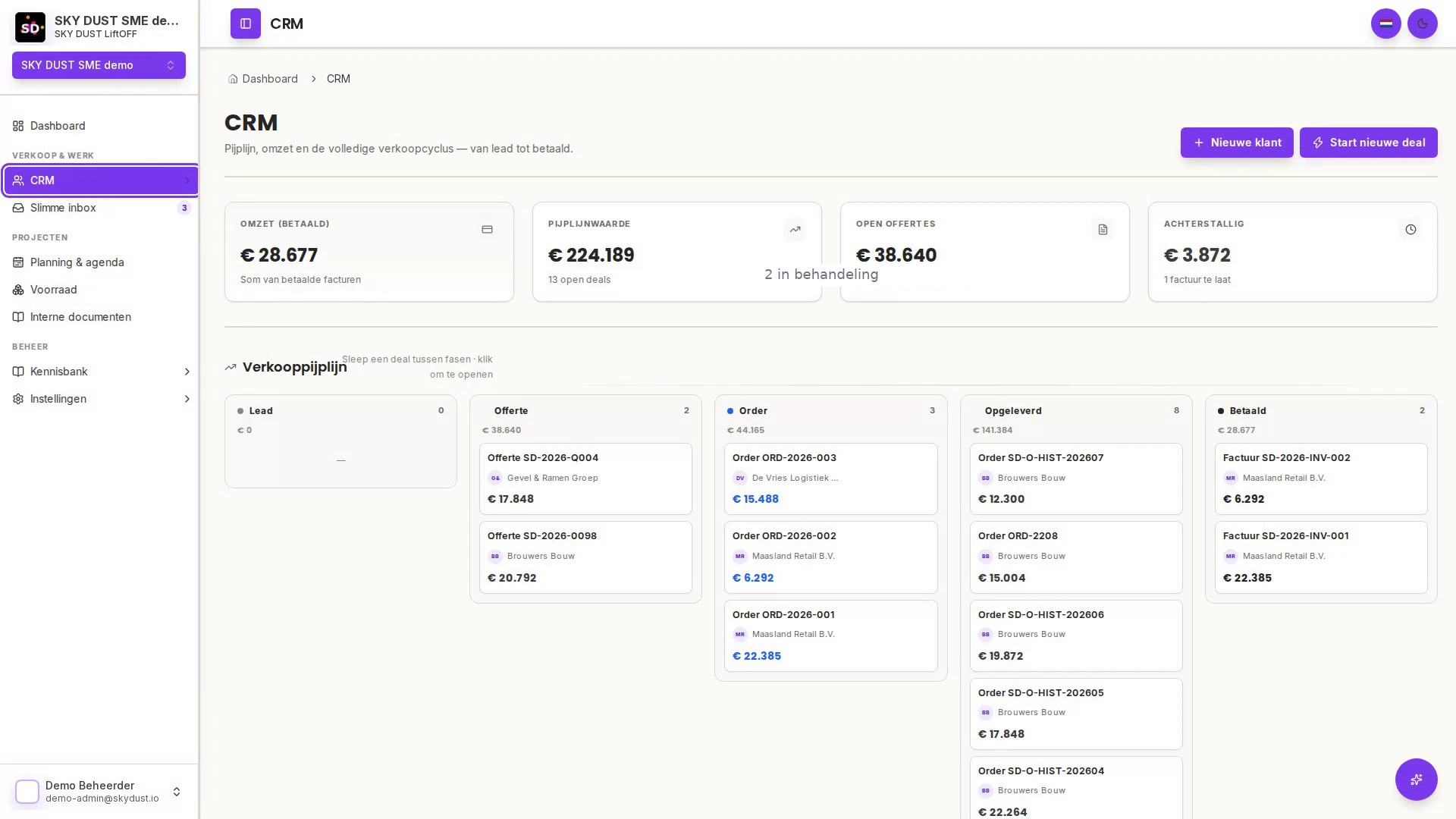
CRM & sales
CRM & sales
Client portal
Client portal
Quotes & payments
Quotes & payments
Marketing

Turn business context into campaigns ready for approval

The campaign assistant knows your company, products and brand voice. You supply a short brief, LiftOFF prepares the draft, and nothing goes live without your approval.

  • A campaign brief becomes a structured draft
  • Audience, objective, budget, duration and multiple copy variants
  • Prepared for Meta Ads and Google Ads; live placement is not a shipped integration today
  • Your approval before a campaign draft proceeds
  • Performance in view where data is available
  • Asset library, audiences and budget overview

Example of a campaign draft

ObjectiveMore quote requests for uPVC window frames
AudienceHomeowners in the Zwolle region
Budget and duration€600 · 4 weeks
Copy variants3 drafts in your brand voice

Status: waiting for your approval

Knowledge sources

One approved knowledge layer underneath the platform

Knowledge is a platform foundation, not just a chat feature. You control the audience per source; every answer cites its origin. The knowledge chat inside the client portal is coming soon.

  • Upload a file, add a URL or write a note
  • Audience per source: public, customer portal or internal
  • PDF, Office documents, spreadsheets, text and images
  • Large uploads up to 150 MB, resumable on interruption
  • Extraction and indexing progress visible
  • Keyword and semantic retrieval
  • Answers with source title, excerpt and page-level citation
  • Original source viewer for verification
  • Manuals linked to machines, resources and maintenance

What a cited answer looks like

What is the maintenance interval for the forklift?

The forklift needs a service every 500 operating hours, with an annual inspection in November.

Source: Forklift-maintenance-manual.pdf, page 12

Open the original source

Through your customer's eyes

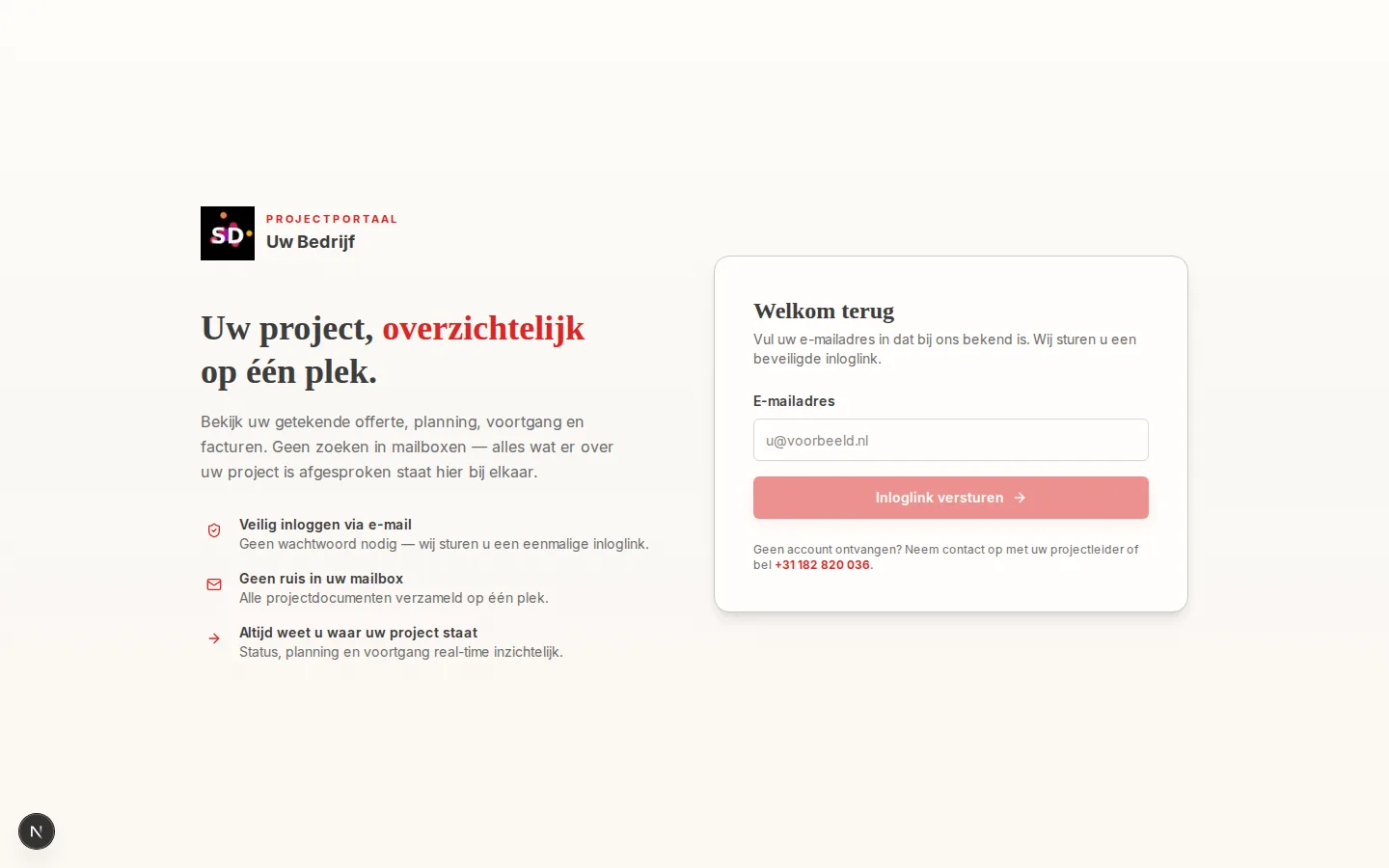
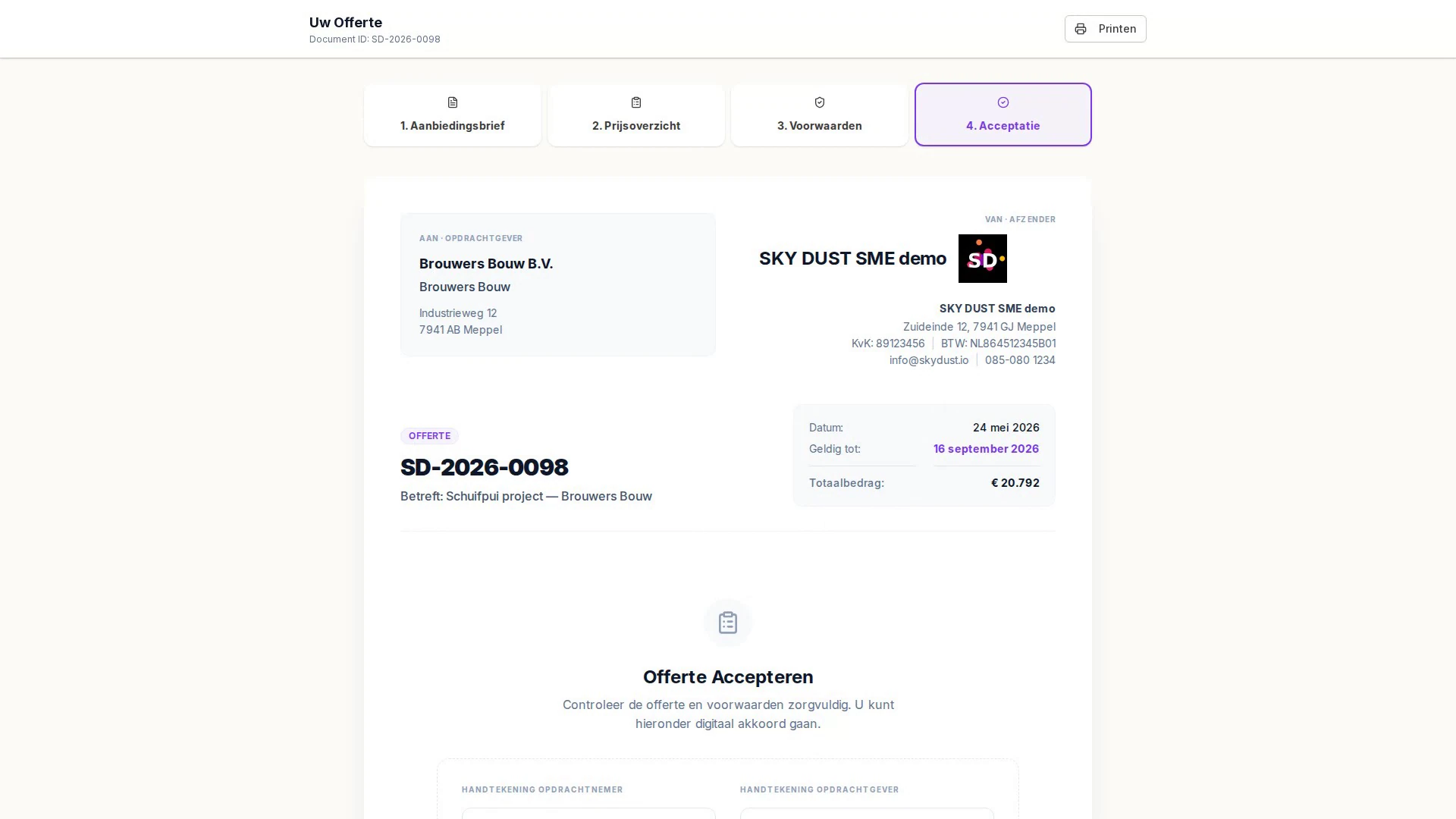
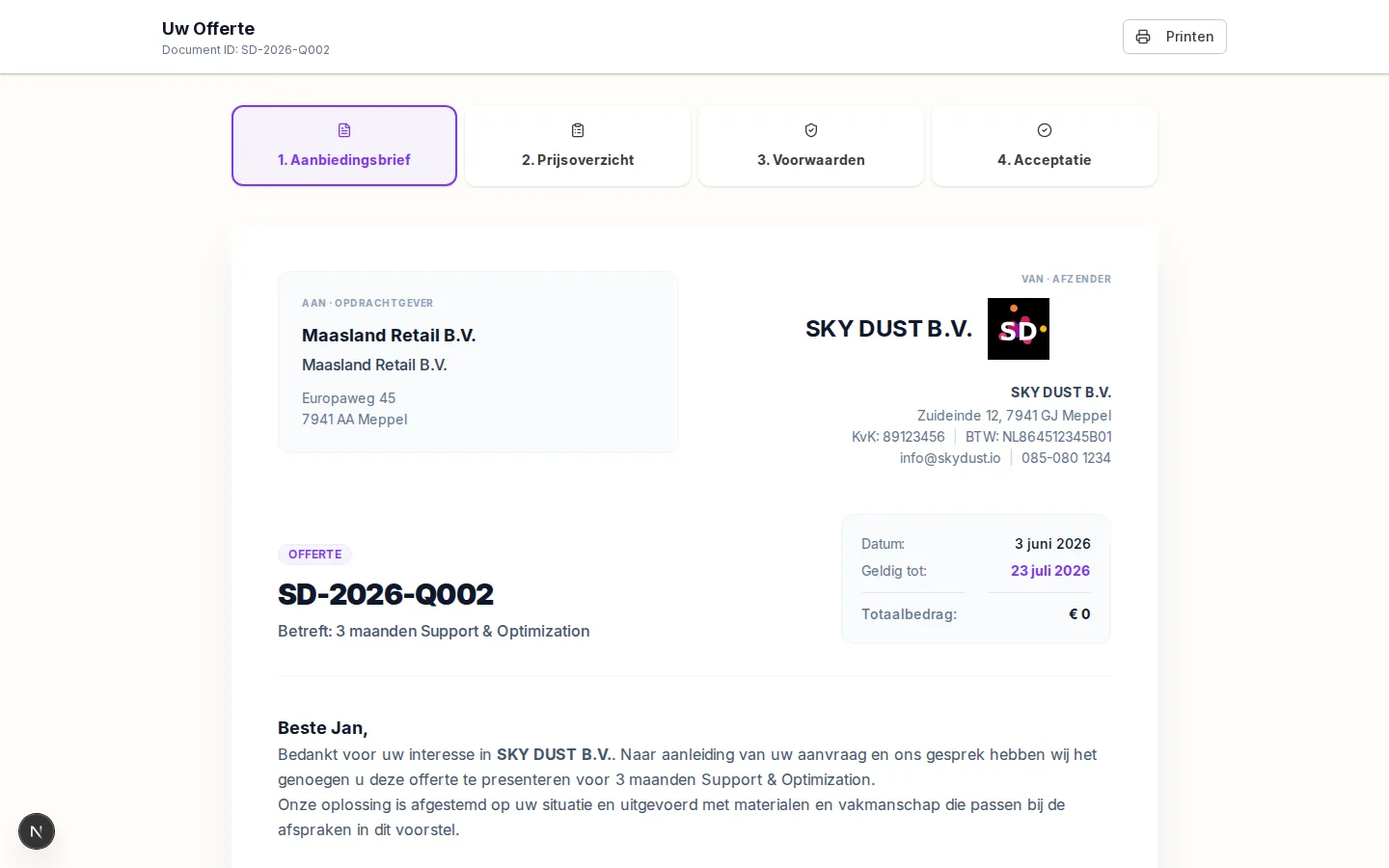
The client portal, from dossier to signature

Your customer follows status, documents and financial information in your branding, and signs the quote digitally. After signing, all follow-up communication stays on the same dossier automatically, so no discussion can arise about what was agreed.

portal.yourcompany.com
Client portal with dossier overview

Dossier, planning and documents for the customer

portal.yourcompany.com/quote
Public quotation, ready to sign digitally

The quote, signable in the browser

More about the client portal
Integrations

What connects today

Not a promise list: these are the integrations shipping in the platform right now. The campaign module is built for Meta Ads and Google Ads; those connections appear here once they are live in production.

  • Gmail
  • Microsoft / Outlook
  • Mollie payment links
  • Google Search Console
  • WordPress
  • Email delivery
Control and security

Built on control, not on trust alone

Per-company data isolation

Every organisation works in a strictly separated environment.

Roles and permissions

Team members only see and do what belongs to their role.

Approvals

Customer-facing, financial and critical actions wait for a person.

Audit history

Every action is traceable: who, what and when.

Financial safeguard

Totals and VAT are recalculated outside the AI.

AI usage and budgets

Usage and cost are transparently visible; you set budgets.

Who it fits

Made for service and project businesses

LiftOFF fits best for small teams with high customer contact and manual overhead: requests, quotes, dossiers and follow-up.

  • Installation and construction companies with requests and quotes
  • Agencies and service providers with heavy customer contact
  • Project businesses with dossiers, planning and delivery

Also works well for

  • Rental & lease
  • Trading
  • Consulting
  • Subscriptions & SaaS
Pricing

Clear base fee. AI costs by usage.

All digital assistants and modules in one subscription. You pay a fixed base fee; AI features are pay per use, invoiced afterwards. Budgets are set and visible inside the platform. Cancel monthly.

Base fee €39 per month excl. VAT. AI features are pay per use: only what you actually use, invoiced afterwards on your monthly invoice. No per-seat pricing.

See the demo first. Signup captures a payment method right away; there is no free trial. Prices excl. VAT, per company.

Larger team or multiple entities? Contact us for a custom environment (SSO, SLA). Contact us

LiftOFF

No per-seat pricing

€39/month base

+ AI usage, invoiced afterwards

  • All digital assistants included
  • CRM, smart inbox, intake, quotes, invoices and client portal
  • No per-seat pricing
  • AI features pay per use, invoiced afterwards; you set budgets
  • Cancel monthly
Start LiftOFF, from €39/monthSee the demo first

Base €39/month excl. VAT, in advance. AI usage invoiced afterwards, pay per use. Cancel monthly. No free trial.

See all pricing

Frequently asked questions

Quick answers to your questions

What is SKY DUST LiftOFF?

The AI operations platform for small teams: one business system holding customers, requests, quotes, invoices, dossiers and communication, plus digital assistants that understand incoming work and prepare the next step. Safe internal processing runs automatically; anything affecting customers or money waits for your approval.

Who is it for?

Small service and project businesses with heavy customer contact and manual overhead: installers, builders, agencies and consultants. It also works well for rental, trading and subscription businesses.

Do I have to replace my current software?

No. You securely connect your Gmail or Outlook mailbox. Beyond that the assistants work with what you bring: forms, documents and uploads. Everything flows into one source of truth per customer.

Can I bring my existing data?

Yes. The import feature takes customers, products, leads and contact submissions as spreadsheets (CSV, TSV, XLSX, XLS and ODS, up to 10,000 rows at a time). Columns are matched automatically and can be corrected manually, you check a five-row preview, and after the import you see exactly what was inserted, skipped or failed.

Does the AI do everything automatically?

No, by design. Summarizing, categorizing and linking run automatically. Anything that reaches a customer, touches money or changes a critical record waits for your approval. Totals and VAT are recalculated outside the AI, and every action lands in the audit history.

I know I should use AI but not how. Does this help?

That is exactly what it is built for. The setup assistant reads your website, recommends modules and pulls in your branding. You review and confirm; no technical knowledge needed, with personal guidance from Karlo Timmerman RA.

What does it cost and why not per user?

One subscription of €39 per month base excl. VAT + AI costs. No per-seat pricing, because assistants take over work instead of being just a tool. AI usage and budgets are visible inside the platform. Signup captures a payment method right away; there is no free trial.

Is it GDPR compliant and secure?

Yes. Encrypted connections, strict per-company data isolation, roles and permissions, a full audit history, and your data is never used to train AI models.

See it first, then start

Walk through the interactive workflow with real product screens. Then start right away: €39 per month base + AI costs.

Start the interactive workflowStart LiftOFF, from €39/month